Portainer Updates
Portainer doesn’t contain an update mechanism built in (it is a docker container itself after all). Here’s how to simply update the instance:
Make a portainer database backup!
You can find this under Settings:General:Download backup file. The option to backup the configuration is at the very bottom.
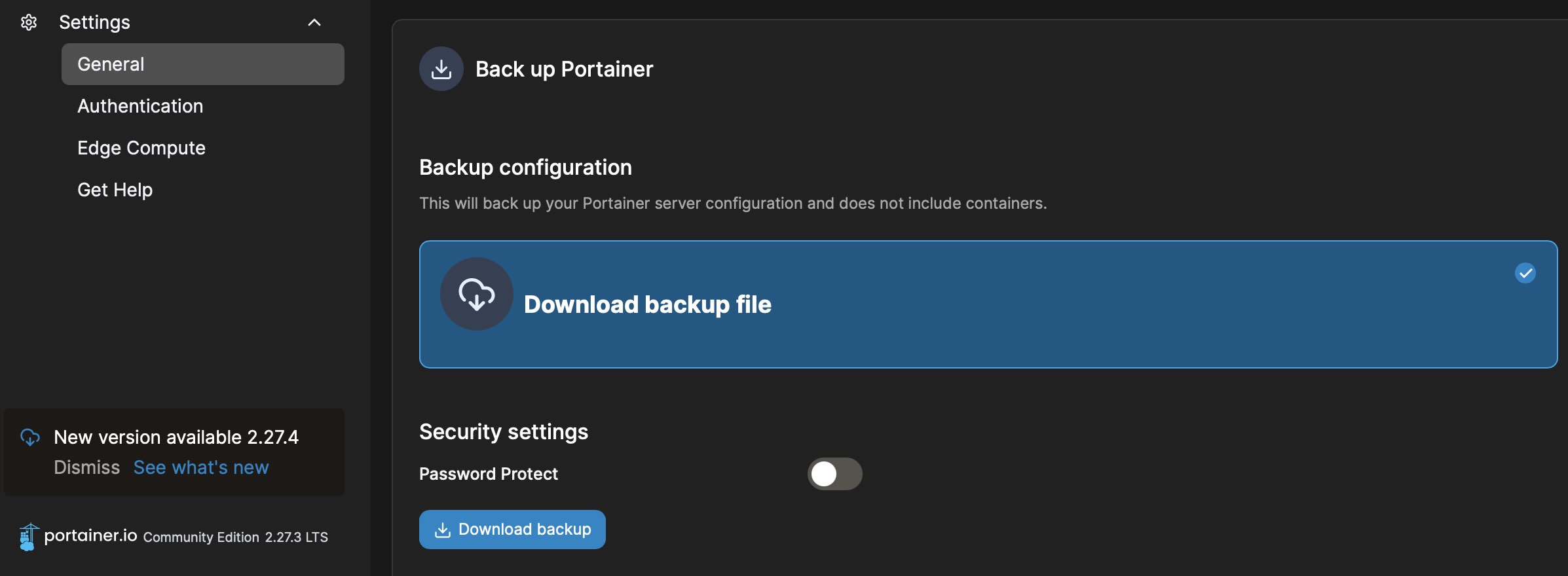
Portainer backup location.
Pull the latest Portainer image: docker pull portainer/portainer-ce:latest
Identify the Portainer container ID: docker container ls
Stop the container: docker stop <ID>
Run from the new image:
docker run -d -p 9000:9000 --restart always -v /var/run/docker.sock:/var/run/docker.sock portainer/portainer-ce:latest
Finally, upload the portainer backup.